

Documentation
Multi-Step Workflows
Orchestrate multi-span workflows and inspect them in the waterfall.
Multi-step workflows are where PromptLayer delivers observability — see every span, timing gap, and provider call in one trace.
Customer support workflow
Flow
txt
Customer Support Workflow

classify_ticket
→ knowledge_lookup
→ generate_reply
Instrument each step
workflow.ts
typescript
await promptlayer.withTrace(
  {
    workflow: 'customer_support',
    feature: 'customer_support',
    metadata: { ticket_id: 't_4821' },
  },
  async (trace) => {
    await trace.request({
      span: 'classify_ticket',
      provider: 'openai',
      model: 'gpt-4o-mini',
      inputTokens: 120,
      outputTokens: 18,
      latencyMs: 640,
      status: 'success',
    })

    await trace.request({
      span: 'knowledge_lookup',
      provider: 'openai',
      model: 'text-embedding-3-small',
      inputTokens: 48,
      outputTokens: 0,
      latencyMs: 210,
      status: 'success',
    })

    await trace.request({
      span: 'generate_reply',
      provider: 'anthropic',
      model: 'claude-haiku-4-5-20251001',
      inputTokens: 890,
      outputTokens: 240,
      latencyMs: 1850,
      status: 'success',
    })
  },
)
What you see in PromptLayer
The waterfall shows each span as a horizontal bar — execution time inside the bar, orchestration gaps between steps. Click any span to open the request explorer.
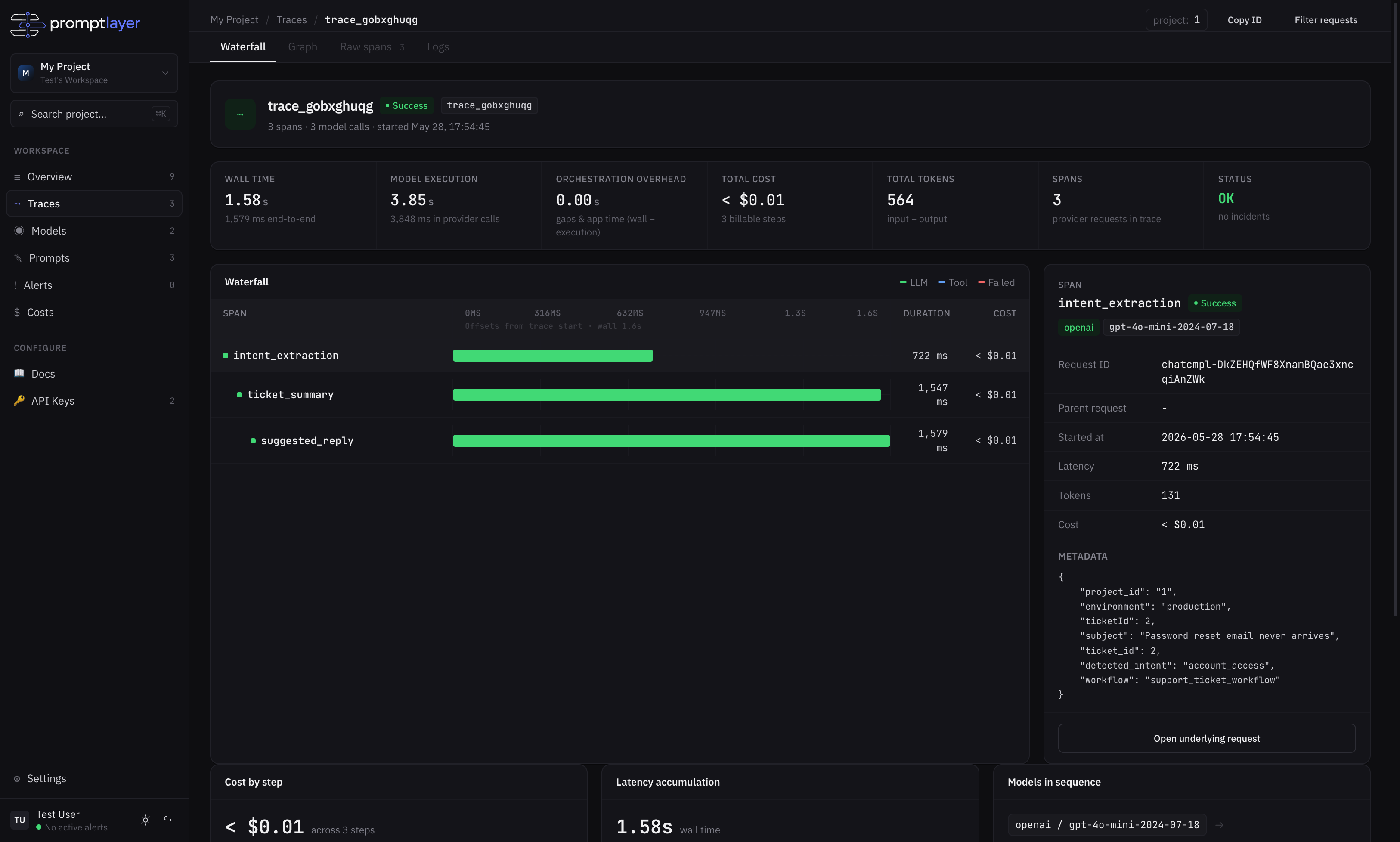
Why this matters: Single-request logging misses orchestration overhead. The waterfall reveals where time is spent between provider calls — the gaps your users actually feel.